UMAX blew up on TikTok for quick selfie ratings, so plenty of people search for a way to try it right in Chrome or Safari. The catch is that UMAX is strictly a mobile app, and your results stay locked behind a $3.99–$4.99/week paywall or a three-friend referral gate after you scan.
To see which browser tools actually show a useful score upfront, I compared browser access, free scan limits, photo handling, and pricing across the top web alternatives, and ran our front-facing test portrait through Looksmax Scale. Here is how each option stacks up.
Quick Answer: Best UMAX Web Alternative
Looksmax Scale is my top pick if you want a UMAX alternative that works directly in your browser. You get two full guest scans a day during beta (more once signed in), a four-part proportion breakdown, and an optional $9.90 one-time report with 6 AI hairstyle previews instead of weekly charges. Pick TheFaceReport if you prefer a 0–100 score format with a $17.49 one-time PDF report, or LooksLab for a fast 1–10 browser check.
At-a-Glance Comparison
| Tool | Browser Scan | Best For | Paid Pricing |
|---|---|---|---|
| Looksmax Scale | Yes (2 free/day) | Overall web alternative & value | $9.90 one-time report |
| TheFaceReport | Yes (free 0–100) | Detailed 0–100 PDF report | $17.49 one-time report |
| LooksLab | Yes (free 1–10) | Quick 1–10 browser check | Mobile app subscription |
| UMAX App | No (mobile app) | Mobile skincare & tracking | $3.99–$4.99/wk (up to $9.99) |
1. Looksmax Scale: Best UMAX Web Alternative Overall
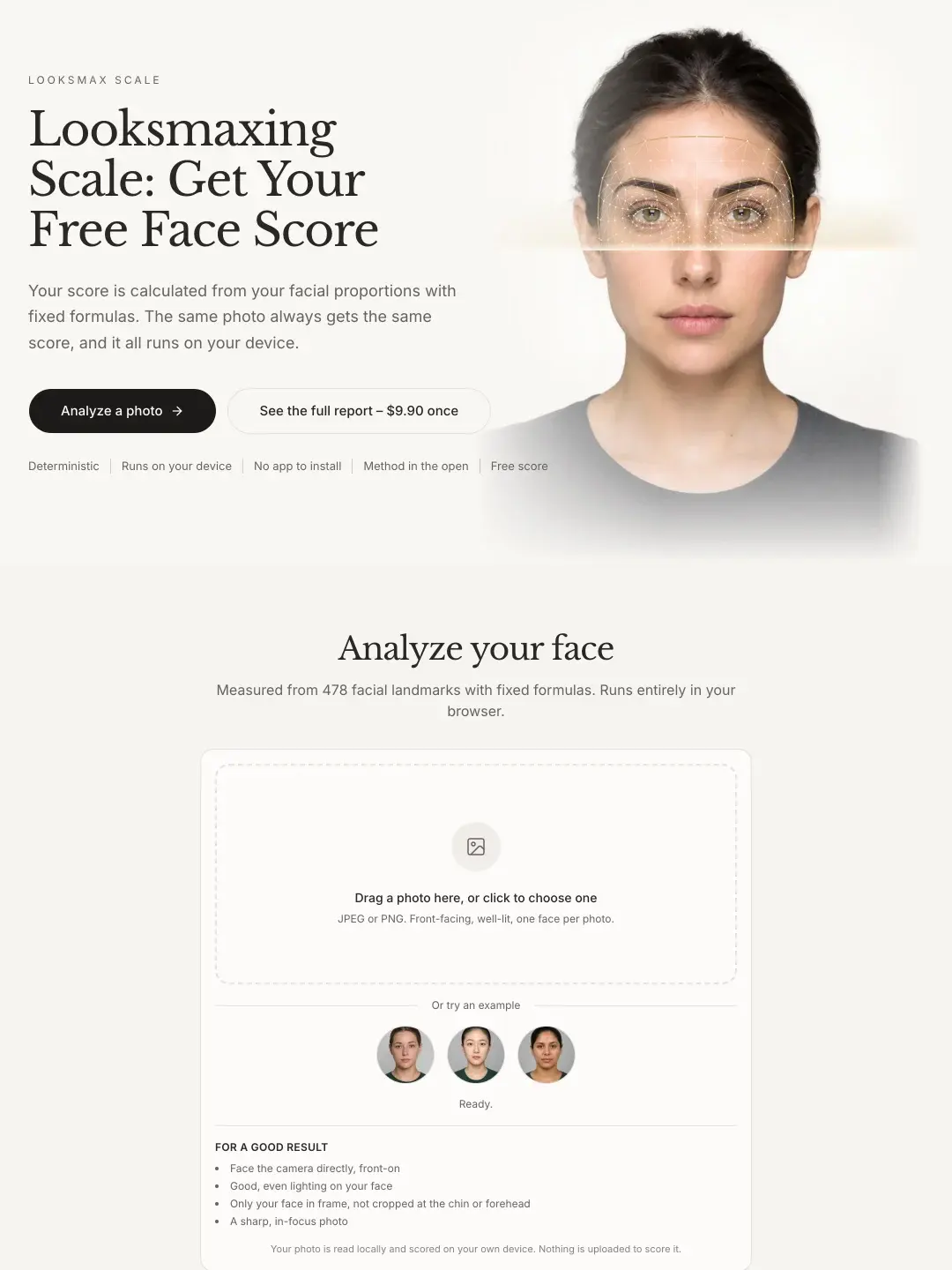
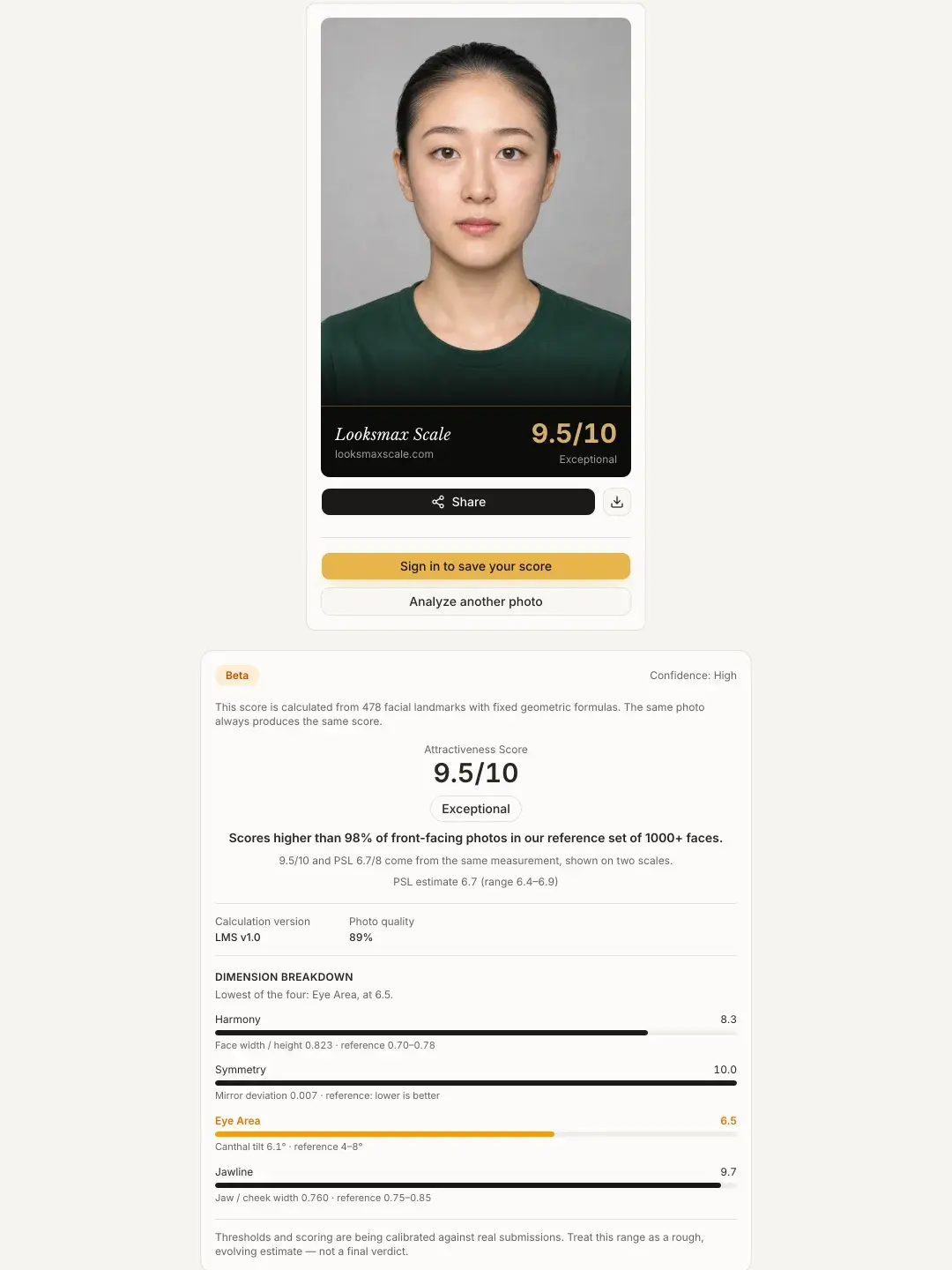
When I ran one of the built-in front-facing sample portraits through the Attractiveness Test, the browser returned a complete score card in a couple of seconds without installing an app or hitting an invite wall. That portrait scored 9.5/10 overall (matching 6.7/8 on the PSL Scale), with exact sub-scores right underneath: Harmony 8.3, Symmetry 10.0, Eye Area 6.5, and Jawline 9.7.
What makes this breakdown practical is that you immediately see where your score sits on the 0–8 PSL rating chart, which numbers pull it up or down, and which ratios sit behind them. From there, you can jump into dedicated single-metric checks for face symmetry, face shape, or canthal tilt in the same browser session.
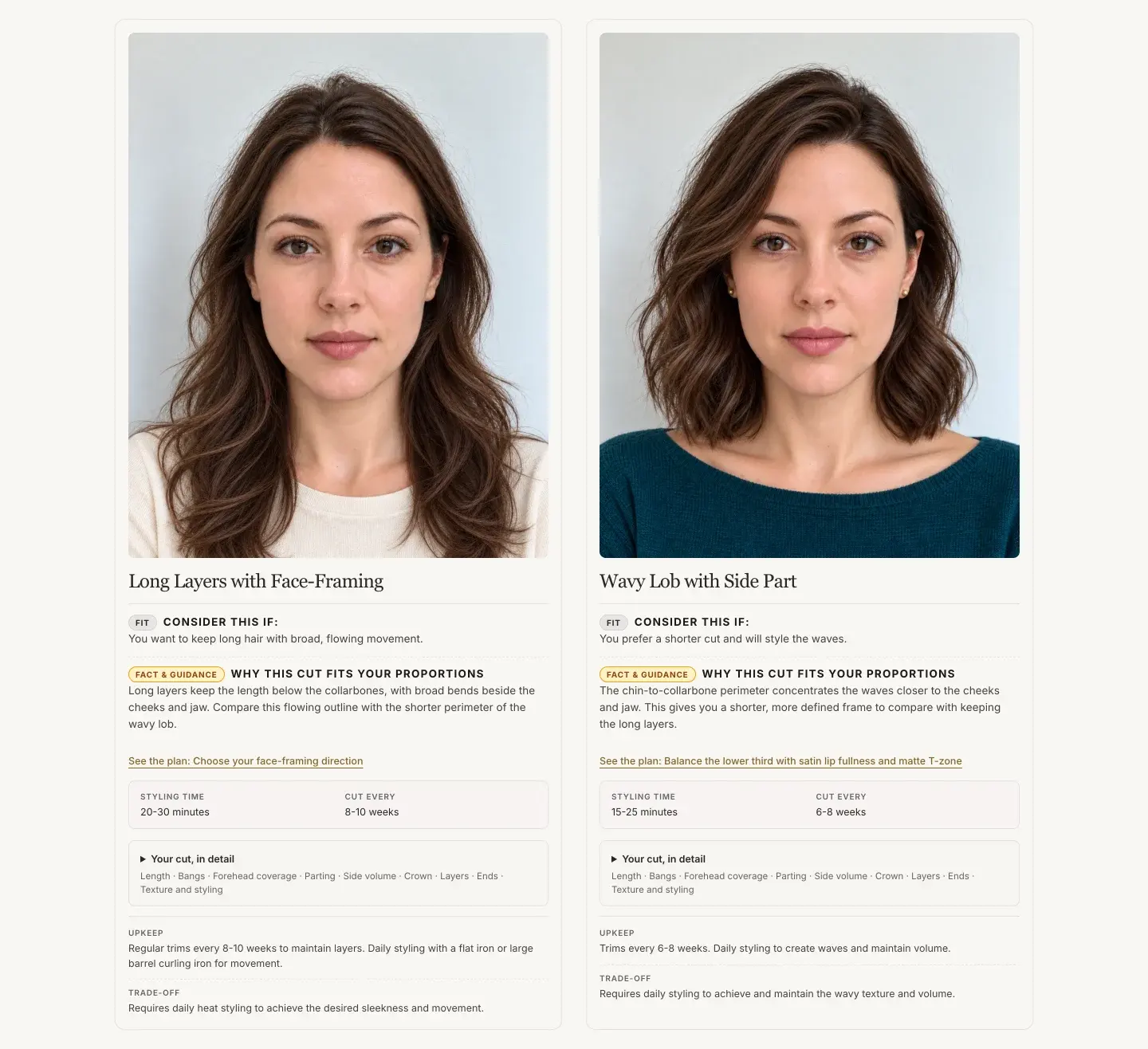
If you decide you want tailored styling next steps, the optional $9.90 one-time report expands the free check into five regional measurements, a prioritized grooming plan, and 6 AI hairstyle previews on your own photo. Free geometric scoring runs locally in your browser via MediaPipe, while generating the paid report uploads your photo to private storage only after you confirm you are 18+ and give explicit consent, backed by guest checkout and a 7-day refund window.
Key Features
- Free browser scoring with real numbers: Shows your 0–10 and 0–8 PSL scores plus four weighted bars (Harmony 32%, Symmetry 26%, Eye Area 21%, and Jawline 21%) right after upload.
- Repeat-safe geometric formulas: Fixed 478-landmark math means the same front-facing photo gives the same score every time instead of randomizing.
- Optional $9.90 one-time styling report: Includes 5 facial region breakdowns, a step-by-step improvement plan, and 6 AI hairstyle previews with zero recurring billing.
- Clear photo boundary: Free scans stay on your device, and paid report uploads only start with 18+ confirmation and explicit user consent.
Best For
- Desktop or mobile browser users who want a UMAX-style breakdown without downloading an app.
- Privacy-conscious testers checking baseline symmetry and facial ratios locally for free.
- One-time buyers who want hairstyle try-ons and a grooming plan for $9.90 instead of paying every week.
- Shows your overall score and all four facial feature bars upfront in the browser
- One-time report option ($9.90) instead of a weekly auto-renewing app subscription
- Supports guest checkout with a 7-day refund window on the paid report
- Guest access includes two free scans per day during beta before asking you to sign in
- Personalized styling advice and hairstyle try-ons require the paid report
- Needs a straight, front-facing photo; angled selfies pull symmetry scores down
See Your Facial Proportions in Your Browser
Upload a front-facing photo to get your 0–10 score and four-part breakdown in seconds, or preview the full $9.90 sample report first.
Free while in beta · 2 guest scans/day · Optional $9.90 one-time report
2. TheFaceReport: Best UMAX Alternative for a 0–100 Detailed Report

If you specifically like UMAX's 0–100 presentation, TheFaceReport is the strongest web alternative built around that number format. Its free attractiveness scan runs on-device in your browser, and the site packs roughly 25 free mini-tools covering symmetry, golden ratio, and face shape.
Its paid Full Face Report is also a one-time purchase rather than a subscription, bundling 40+ measurements across 7 facial regions, 6 AI hairstyle try-ons, 12-season color analysis, and an emailed PDF. That said, it costs $17.49 compared to $9.90 on Looksmax Scale, and its AI vision tools send photos to cloud APIs (auto-deleted within 2 hours for free scans under its November 2026 privacy policy).
- Familiar 0–100 rating style with 25 free browser mini-tools
- One-time $17.49 Full Face Report includes 40+ measurements, 6 hairstyle try-ons, 12-season colors, and a PDF
- Free attractiveness scan runs on-device in your browser
- Higher upfront price ($17.49 vs. $9.90 on Looksmax Scale), though it adds 12-season color analysis and a PDF
- Cloud AI vision tools upload photos to external APIs rather than keeping every check local
3. LooksLab: Best UMAX Alternative for a Quick 1–10 Web Check
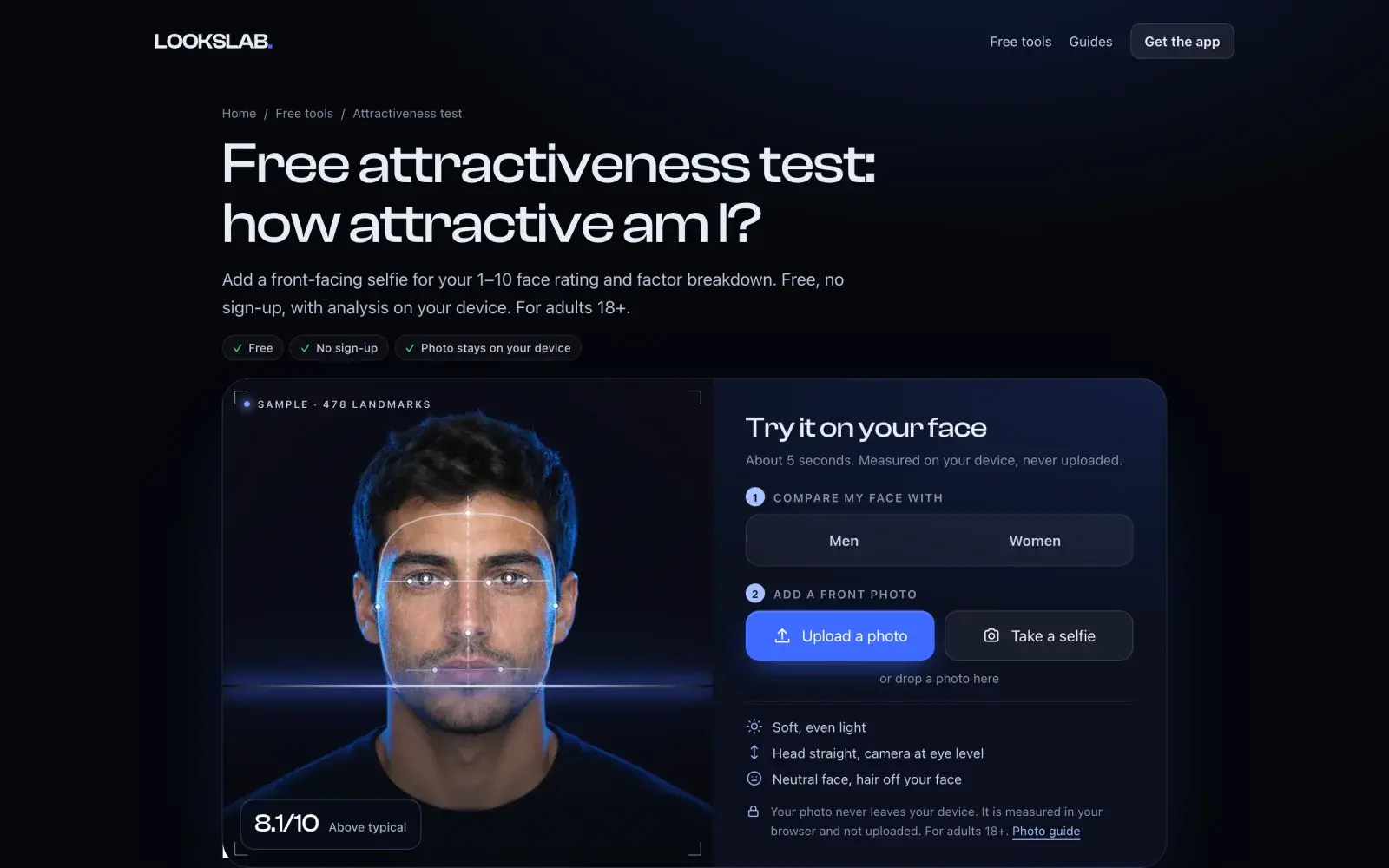
LooksLab keeps the browser flow fast and lightweight: pick whether to compare against men's or women's reference bands, drop in a front-facing photo, and get a quick 1–10 score (on a 2.0–9.9 curve centered around 6.0). Browser-side landmark detection runs directly on your device so you can check a rough score in seconds.
That said, LooksLab uses its web pages mainly as an entry point to its mobile app funnel ("Get your personal plan"). Deeper coaching and ongoing tracking sit behind mobile app subscriptions rather than a standalone one-time web styling report.
- Fast 1–10 browser score with separate reference bands for men and women
- Shows basic factor scores immediately without an invite gate
- Web experience funnels toward mobile app subscriptions for deeper plans
- No standalone one-time web styling report or bundled hairstyle previews
UMAX App: Original Mobile App for Daily Routine Tracking
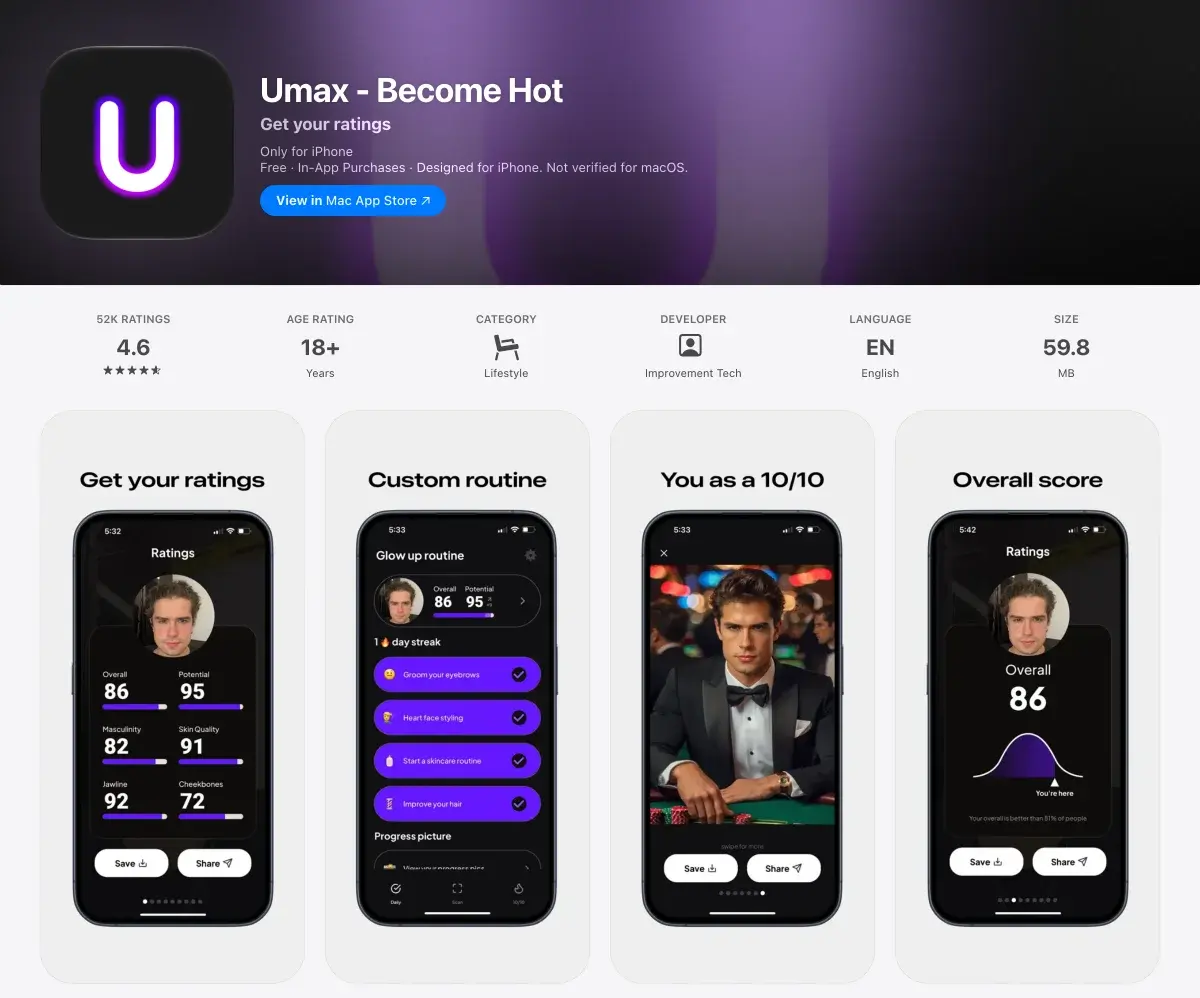
If you specifically want a native phone app with daily skincare checklists and progress nudges, UMAX still does that format well. Its six-metric 0–100 summary card (including skin quality and potential) is built for quick sharing and ongoing mobile habit tracking.
For anyone searching for a web alternative, though, the friction is clear: UMAX has no browser scanner, uploads photos to cloud servers, and gates your results behind a weekly auto-renewing plan ($3.99–$4.99/week on standard tiers, with higher in-app tiers up to $9.99) or three friend referral codes.
- Native iOS and Android experience with daily skincare and grooming reminders
- Includes skin quality alongside facial proportions in a 0–100 summary card
- No browser version; requires downloading the mobile app
- Locks results behind a $3.99–$4.99/week subscription (up to $9.99) or three referrals
One-Time Report vs. Weekly App Subscription Math
Most people want to check their facial proportions once or twice, pick up a few hairstyle or grooming ideas, and move on. When you pay by the week for a one-off curiosity check, the subscription cost adds up fast if you leave auto-renew on.
To be fair, weekly app subscriptions cover ongoing mobile re-scans and habit checklists, while one-time web reports analyze a single photo. Readers comparing web subscriptions like FaceIQ Labs or Mavqen can also review our FaceIQ Labs alternatives. Here is what each option costs depending on how long you keep it active:
| Option | Single Check | 4 Weeks | 52 Weeks |
|---|---|---|---|
| Looksmax Scale | $0 scan / $9.90 once | $9.90 | $9.90 |
| TheFaceReport | $0 scan / $17.49 once | $17.49 | $17.49 |
| UMAX App | $3.99–$4.99 | $15.96–$19.96 | $207.48–$259.48 |
How to Take a Consistent Browser Test Photo
Camera position moves a 2D landmark score far more than everyday indoor or outdoor lighting. In our 5-site AI face rater benchmark, four everyday lighting scenes on the same person shifted the total by just 0.3 points (8.7 to 9.0), whereas combining a closer selfie range with a 6.6-degree head turn dropped the overall score from 8.9 to 8.2 and cut Symmetry from 9.6 to 8.0.
Keep in mind that repeatable landmark math measures geometric consistency on a flat photo rather than overall real-life attractiveness. To get your cleanest baseline on any browser face analyzer, follow three simple habits:
- Step back about 5 feet (1.5 m): Close selfies exaggerate nose width and narrow your outer jawline through wide-angle lens distortion.
- Face the lens straight on: Even a slight head turn moves one cheek closer to the camera and skews symmetry scores.
- Hold the camera at eye level: Shooting from below or above artificially stretches or compresses midface ratios.
Ready to Test Your Photo in Browser?
Upload a straight, well-lit photo on Looksmax Scale to see your 0–10 score and four facial feature breakdowns in seconds.
Free while in beta · 2 guest scans/day · Zero weekly subscriptions